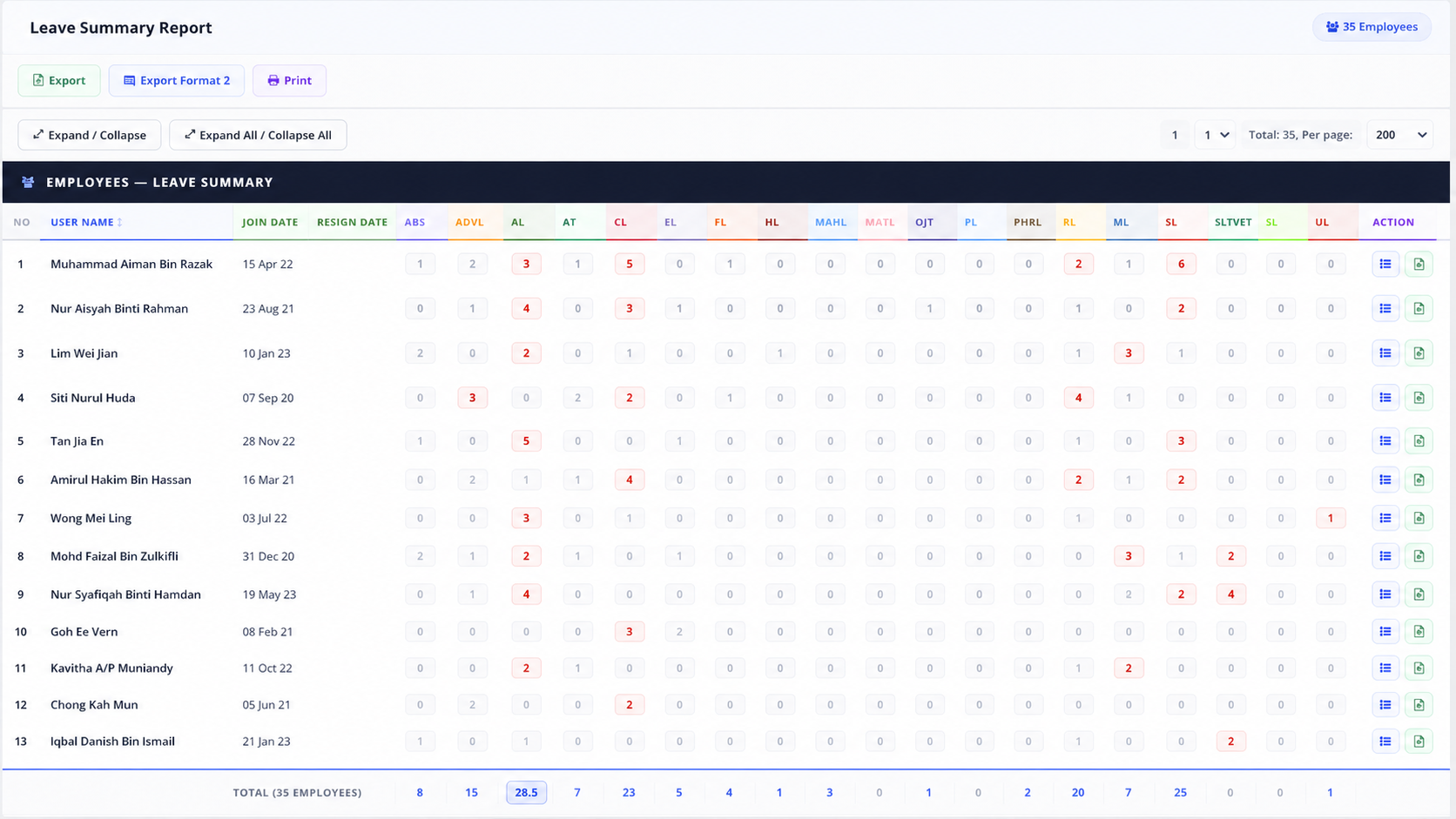
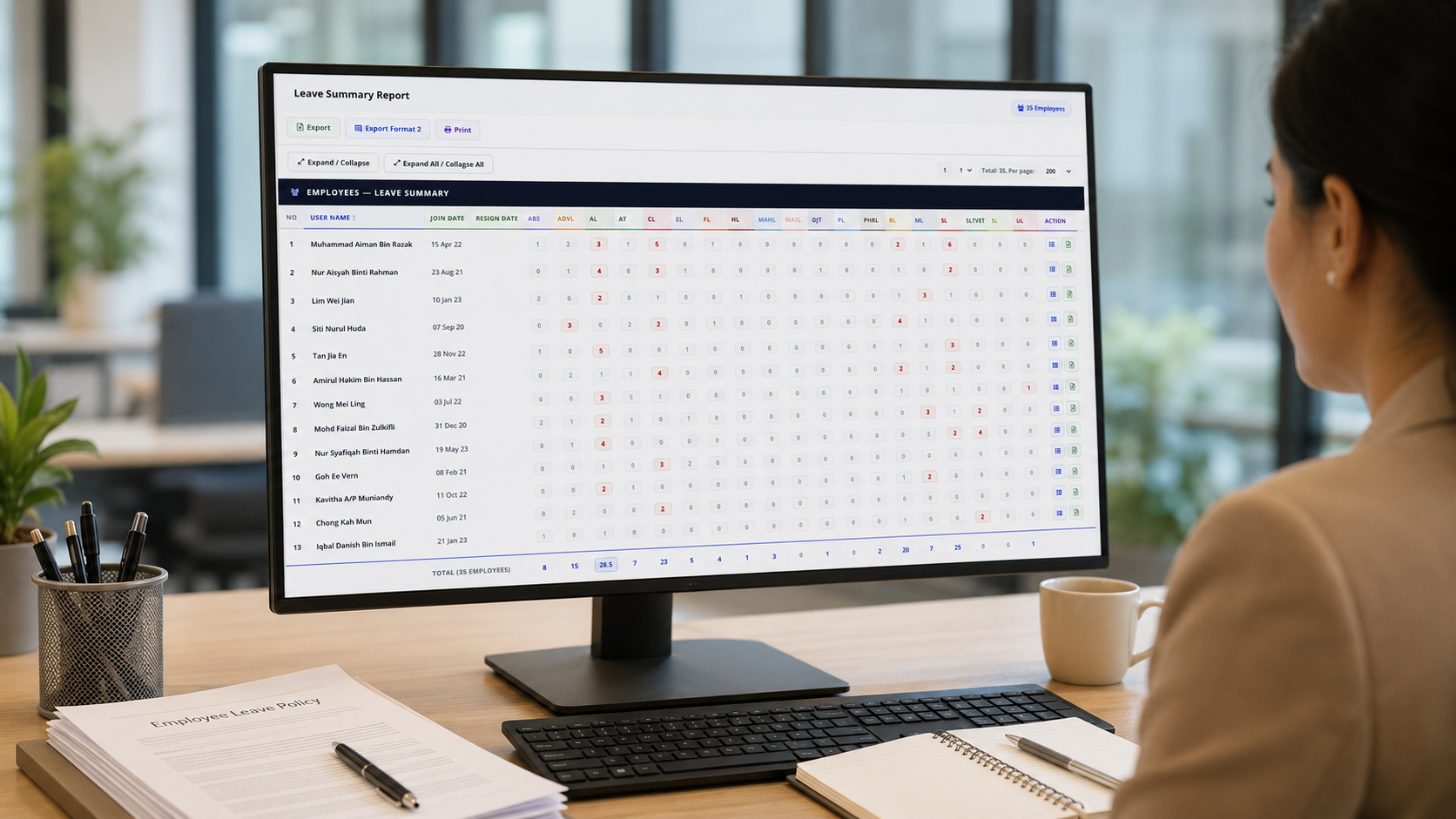
Employee Leave Summary Report

Staff eLeave Report

Clear employee leave summary for HR, payroll and management review.

Review annual leave, medical leave, emergency leave, replacement leave, unpaid leave and other leave types in one structured summary report. Help HR verify staff leave usage faster and support payroll checking with clearer records.
Staff eLeave Report May 2026
Annual Leave Used 128
Medical Leave 36
Unpaid Leave 9
Employee AL ML Status
Nur Aina 6.0 1.0 Normal
Daniel Tan 10.5 3.0 Review
Farah Lim 4.0 0.0 Balanced
Report Ready View leave usage by employee, leave type, department and period.

Suitable for Different Leave Management Needs

eLeave Report gives HR and management a clearer view of employee leave patterns, leave usage and manpower planning needs.

HR Records

Keep employee leave usage organised by staff, department and leave type.

Payroll Checking

Verify unpaid leave, medical leave and leave impact before salary processing.

Manpower Planning

Understand leave trends and avoid manpower shortage during busy periods.

Employee Transparency

Give clearer leave records to reduce disputes and improve trust.

A Better Way to Review Employee Leave Usage

Leave records can become difficult to manage when HR needs to check different leave types, employee balances, approval status and monthly usage manually. eLeave.my Staff eLeave Report helps organise all leave data into one clear report for faster checking and decision-making.

  • View leave usage by employee and leave type in one summary table.
  • Monitor annual leave, medical leave, emergency leave and unpaid leave easily.
  • Reduce manual calculation before payroll and HR reporting.
  • Export or print reports for internal checking and management review.

Clear Leave Summary

Quickly check how many days each employee has used for each leave type.

Payroll & Audit Support

Use structured leave reports to support payroll, filing and management review.

Department Overview

Review leave trends across teams so manpower planning becomes easier.

Export & Print Ready

Prepare reports for HR filing, payroll checking or management meetings.

What the Staff eLeave Report Helps You Monitor

A practical leave summary view for HR, admin, payroll and management teams.

Employee Leave Usage

Check how many leave days each employee has used within the selected period.

Leave Type Breakdown

Separate annual leave, medical leave, emergency leave, replacement leave and other leave types.

Export & Print

Generate report formats for HR filing, payroll preparation or management review.

Faster HR Checking

Spot employees with high leave usage or special leave patterns before payroll cutoff.

Staff eLeave Summary Report Overview

See employee leave usage, leave type breakdown and total leave records in one clear report.

Monthly Leave Summary

Sample overview by leave type and employee usage.

Jan - Dec 2026

Leave Type Usage

Annual Leave68%
Medical Leave32%
Emergency Leave18%
Unpaid Leave9%

Report Highlights

Employees Reviewed42
Total Leave Days214.5
Highest Usage TypeAnnual Leave
Payroll Review Items6
Export FormatExcel / Print

*This is a dummy sample preview. Actual leave records will depend on your company leave policy, employee entitlement and approved leave applications.

Common Leave Management Problems Solved

Without a clear leave report, HR often needs to search through applications, spreadsheets and employee records manually. This slows down payroll checking and makes leave planning harder.

Before

Manual spreadsheet checking, unclear balances, difficult leave type tracking and slower payroll verification.

After

Centralised leave records, easier summary review, better payroll support and clearer employee leave visibility.

Want to see how Staff eLeave Report fits your company leave policy?

Let our team show you how eLeave.my can help your HR team review leave usage, balances, employee records and payroll-related leave items more clearly.

Works Together with Other eLeave.my Modules

Staff eLeave Report becomes more powerful when combined with leave applications, approval workflow, attendance records and payroll preparation.

e-Leave Application

Employees apply leave online and approved records flow into the leave report.

Approval Workflow

Managers approve or reject leave requests with clearer status tracking.

Attendance Records

Review leave together with attendance, absence and timesheet records.

Payroll Checking

Use leave summary records to verify unpaid leave and payroll-related deductions.

Best for Companies That Need Better Leave Visibility

This report is useful for SMEs, growing teams, multi-department companies and HR teams that need to manage leave records more accurately.

  • Companies with more than 10 employees and growing leave records.
  • HR teams that need to track annual leave, medical leave and unpaid leave clearly.
  • Businesses that want to reduce spreadsheet-based leave checking.
  • Payroll teams that need proper records before salary processing.
  • Managers who want to identify leave trends before manpower shortage happens.

Useful Report Filters

By EmployeeStaff view
By DepartmentTeam view
By Date RangeMonthly / yearly
By Leave TypeAL / ML / UL
ExportFor checking
Built for Malaysia Suitable for local SMEs, HR teams, admin teams and growing Malaysian companies.
Local Support Our team can guide your leave setup, policy settings and report usage.
Connected Modules Works with e-Leave, attendance, reports and payroll preparation.
Easy to Review Simple leave summary for HR, managers and payroll teams to understand.

Why Leave Summary Reports Matter

Leave reports are important for HR planning, manpower control, payroll accuracy and employee transparency. With a clear summary, your HR team can check leave trends without manually opening every employee profile.

  • Understand leave usage across departments and employees.
  • Identify high leave consumption before manpower shortage happens.
  • Support payroll calculation with approved leave records.
  • Improve employee leave transparency and reduce disputes.

Useful for HR, Payroll and Management

The Staff eLeave Report gives different teams the information they need, from HR checking leave balance to management reviewing staff availability and absence patterns.

  • HR can check leave type breakdowns faster.
  • Payroll can verify leave impact before salary processing.
  • Management can review leave trends by month or employee.
  • Admin teams can export reports for filing and audit support.

Staff eLeave Report FAQ

Common questions from business owners, HR teams and payroll users.

What is a Staff eLeave Report?

A Staff eLeave Report shows employee leave usage, leave balances and leave type breakdowns such as annual leave, medical leave, emergency leave, replacement leave and unpaid leave.

How does Staff eLeave Report help HR teams?

HR teams can check leave usage by employee and leave type, prepare management reports, reduce manual calculation and support payroll checking.

Is it useful for payroll checking?

Yes. Approved leave, unpaid leave, medical leave and other leave records can affect payroll. A clear report helps payroll teams verify leave impact before salary processing.

Can it work together with attendance records?

Yes. Leave records can be reviewed together with attendance and timesheet records so HR can understand absence, leave and working records more clearly.

Related eLeave.my Features

Explore more tools that help simplify HR, leave, attendance and business activity management.

Manage Employee Leave with Better Visibility

eLeave.my helps your company centralise leave applications, approvals, balances and summary reports, so HR teams can reduce manual checking and manage workforce availability more confidently.