Fewer payslip requests
Use configured BizCloud rules, records and visibility to make this outcome repeatable across the organisation.
Employees retrieve their own payroll records from the website or BizCloud app. HR and management use dashboards, PDF reporting and salary increment analysis to focus on exceptions.
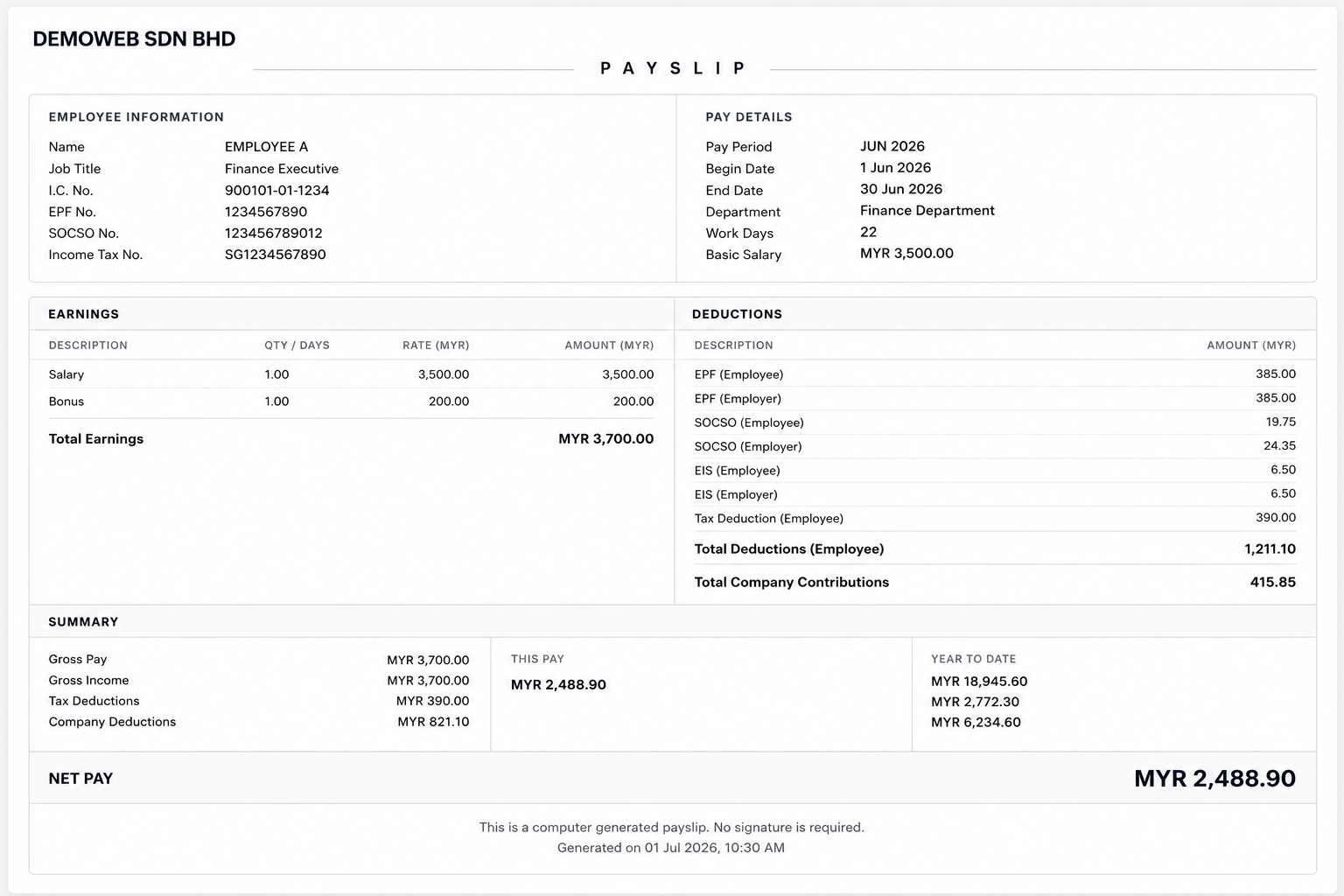
Give employees secure payslip access while management monitors payroll and salary increment trends.
Use configured BizCloud rules, records and visibility to make this outcome repeatable across the organisation.
Use configured BizCloud rules, records and visibility to make this outcome repeatable across the organisation.
Use configured BizCloud rules, records and visibility to make this outcome repeatable across the organisation.
These functions come directly from the current BizCloud system and the supplied module information.
Discuss this capabilityPublish a clear employee payslip for each payroll period.
Let employees retrieve payroll history from the website.
Support payroll access through the BizCloud companion app.
Use the payroll dashboard to monitor processing and key totals.
Prepare payroll dashboard information for PDF reporting.
Review salary increment trends across employees.
Identify employees whose increment review may be delayed.
BizCloud combines setup rules, employee or manager actions, automated processing and controlled follow-up.
Finalise the payroll record and employee payslip.
Employees retrieve current and past payroll information securely.
HR reviews payroll status and management summaries.
Use the increment report to identify delayed or unusual progression.
Each screenshot corresponds directly to this workflow and can be enlarged for a closer look.