Accurate leave balances
Use configured BizCloud rules, records and visibility to make this outcome repeatable across the organisation.
BizCloud uses leave types and employee context to populate entitlement, control proration, process carry-forward and keep corporate or special holidays aligned.
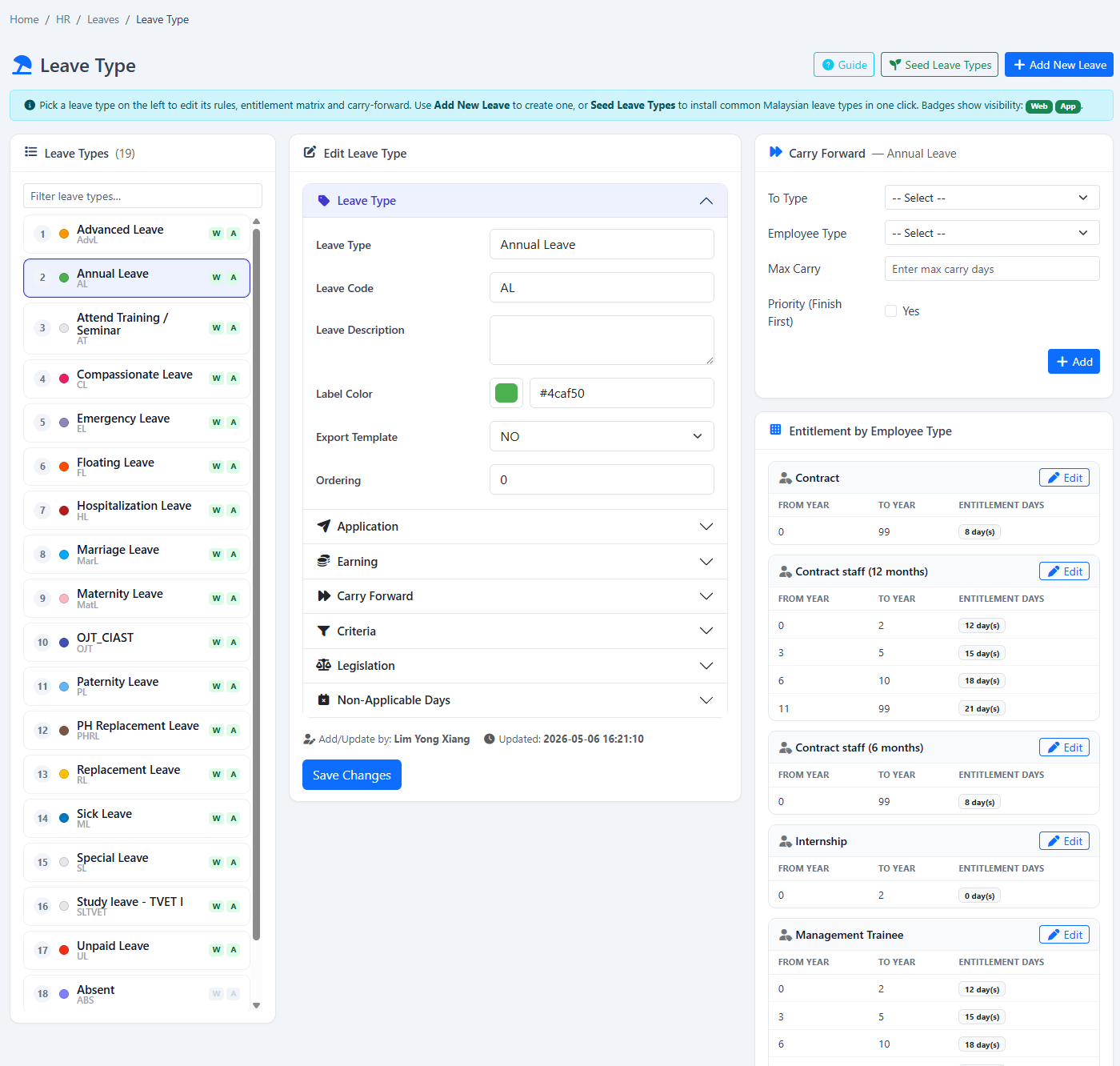
Configure leave allocation, proration, same-type accumulation, cross-type carry-forward and company holidays.
Use configured BizCloud rules, records and visibility to make this outcome repeatable across the organisation.
Use configured BizCloud rules, records and visibility to make this outcome repeatable across the organisation.
Use configured BizCloud rules, records and visibility to make this outcome repeatable across the organisation.
These functions come directly from the current BizCloud system and the supplied module information.
Discuss this capabilityCreate leave types and define their allocation behaviour.
Populate leave for a new employee according to position or employee type.
Choose prorated or full allocation in leave-type settings.
Carry the same leave type from one year into the next.
Carry remaining balance into a different designated leave type.
Generate a company holiday memo for a year or selected period.
Record special or sudden company holidays.
BizCloud combines setup rules, employee or manager actions, automated processing and controlled follow-up.
Set allocation, proration and carry-forward behaviour.
Populate the relevant leave entitlement from employee context.
Record corporate and special holidays for the period.
Apply same-type or cross-type carry-forward according to policy.
Each screenshot corresponds directly to this workflow and can be enlarged for a closer look.