Project-level cost visibility
Use configured BizCloud rules, records and visibility to make this outcome repeatable across the organisation.
Project titles make claims easier to monitor. Each project can contain multiple budgeted items with their own limits and relevant time period.
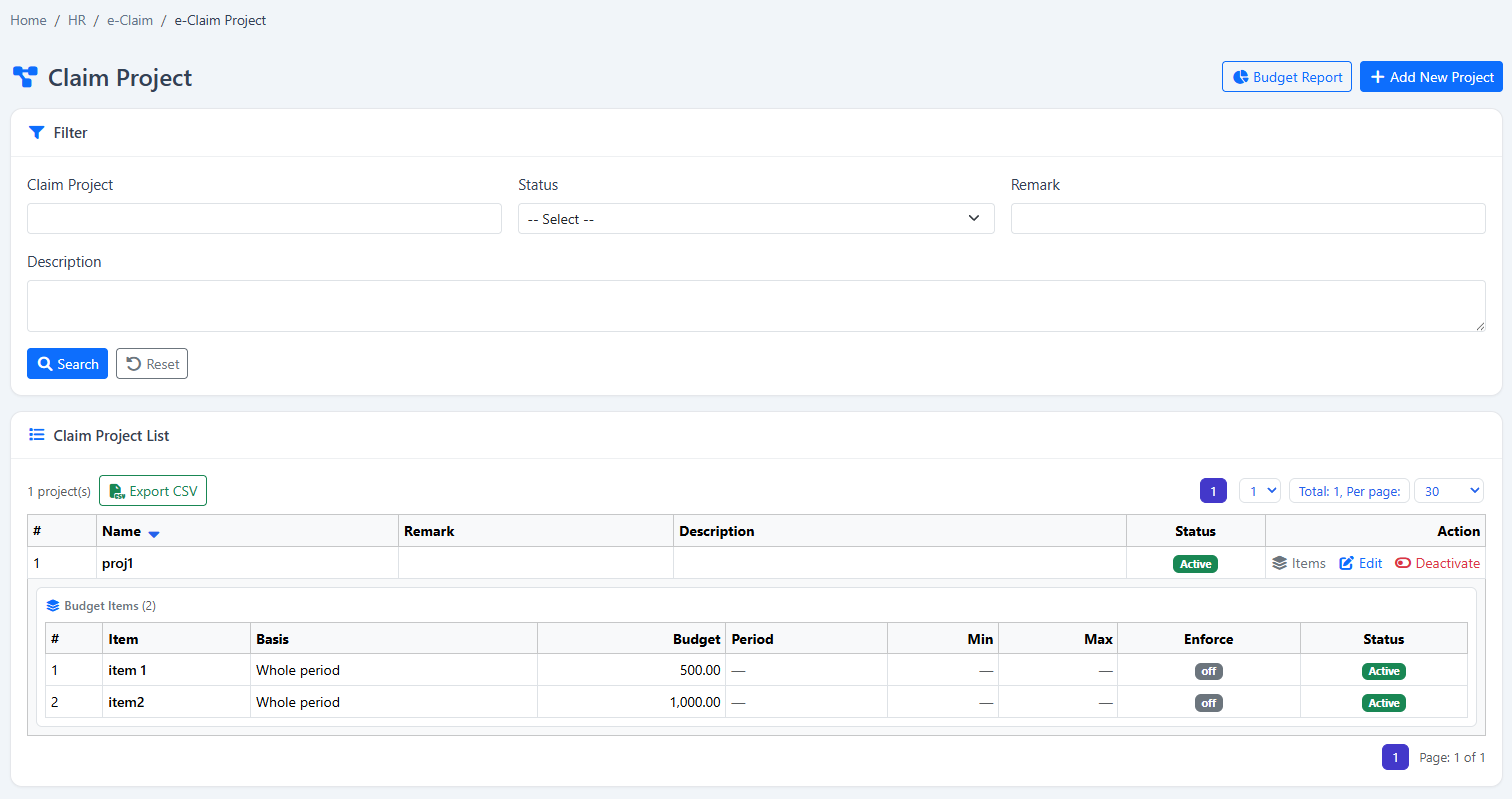
Categorise claims by project title and control time-based budgets at project and item level.
Use configured BizCloud rules, records and visibility to make this outcome repeatable across the organisation.
Use configured BizCloud rules, records and visibility to make this outcome repeatable across the organisation.
Use configured BizCloud rules, records and visibility to make this outcome repeatable across the organisation.
These functions come directly from the current BizCloud system and the supplied module information.
Discuss this capabilityCreate claim project titles for categorisation.
Maintain projects with defined budget periods.
Set an overall budget for each project.
Create multiple claim items within a project.
Apply a separate limit to each item.
Report submitted or approved claim spending against budget.
Monitor claims by project, title and item.
BizCloud combines setup rules, employee or manager actions, automated processing and controlled follow-up.
Define how employees categorise claim activity.
Choose the overall amount and relevant period.
Create the allowed items and individual limits.
Compare claim activity with project and item budgets.
Each screenshot corresponds directly to this workflow and can be enlarged for a closer look.