Controlled corrections
Use configured BizCloud rules, records and visibility to make this outcome repeatable across the organisation.
Automated rules handle routine leave activity, but HR still needs governed adjustment and reporting tools. BizCloud provides both without losing the underlying transaction history.
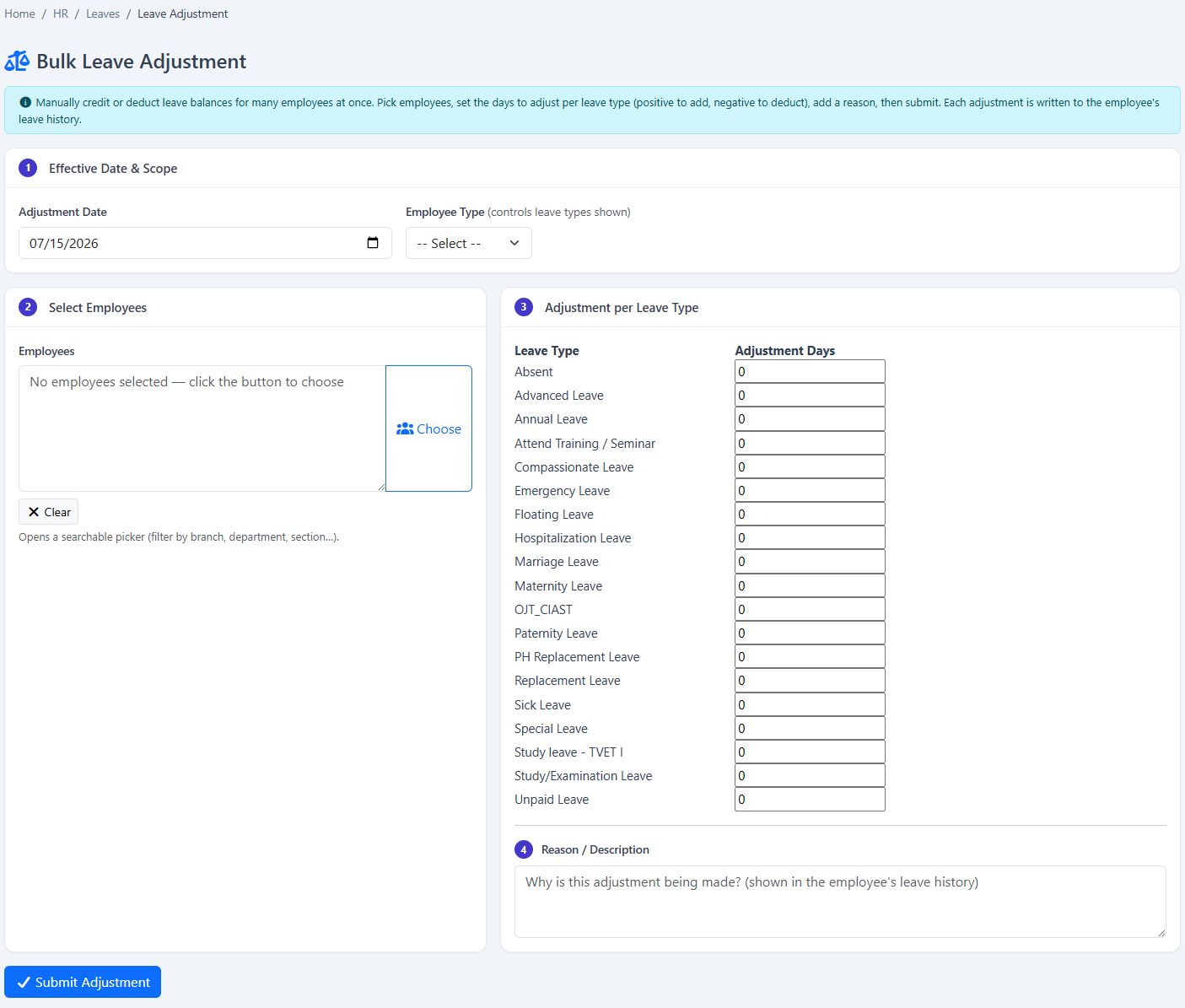
Handle exceptions with bulk adjustments, leave burn and transaction controls while keeping reports available to HR.
Use configured BizCloud rules, records and visibility to make this outcome repeatable across the organisation.
Use configured BizCloud rules, records and visibility to make this outcome repeatable across the organisation.
Use configured BizCloud rules, records and visibility to make this outcome repeatable across the organisation.
These functions come directly from the current BizCloud system and the supplied module information.
Discuss this capabilityAdjust leave for one employee or multiple employees in bulk.
Run scheduled leave processing on the first of the month.
Prepare employee leave summary and detailed leave reports.
Prepare unpaid-leave reporting for HR and payroll follow-up.
Burn leave manually or through automated processing.
Inspect and adjust individual leave transactions.
Keep policy-driven activity and authorised manual changes in one history.
BizCloud combines setup rules, employee or manager actions, automated processing and controlled follow-up.
Apply scheduled entitlement and leave logic automatically.
Identify balances, unpaid leave and exceptions that need attention.
Use bulk adjustment, leave burn or transaction tools as appropriate.
Keep the resulting change visible in the employee leave transactions.
Each screenshot corresponds directly to this workflow and can be enlarged for a closer look.