Fewer missing certificates
Use configured BizCloud rules, records and visibility to make this outcome repeatable across the organisation.
Different roles require different certificates and forms. BizCloud lets HR define those requirements by employee type, upload supporting files and track fulfilment from the employee record.
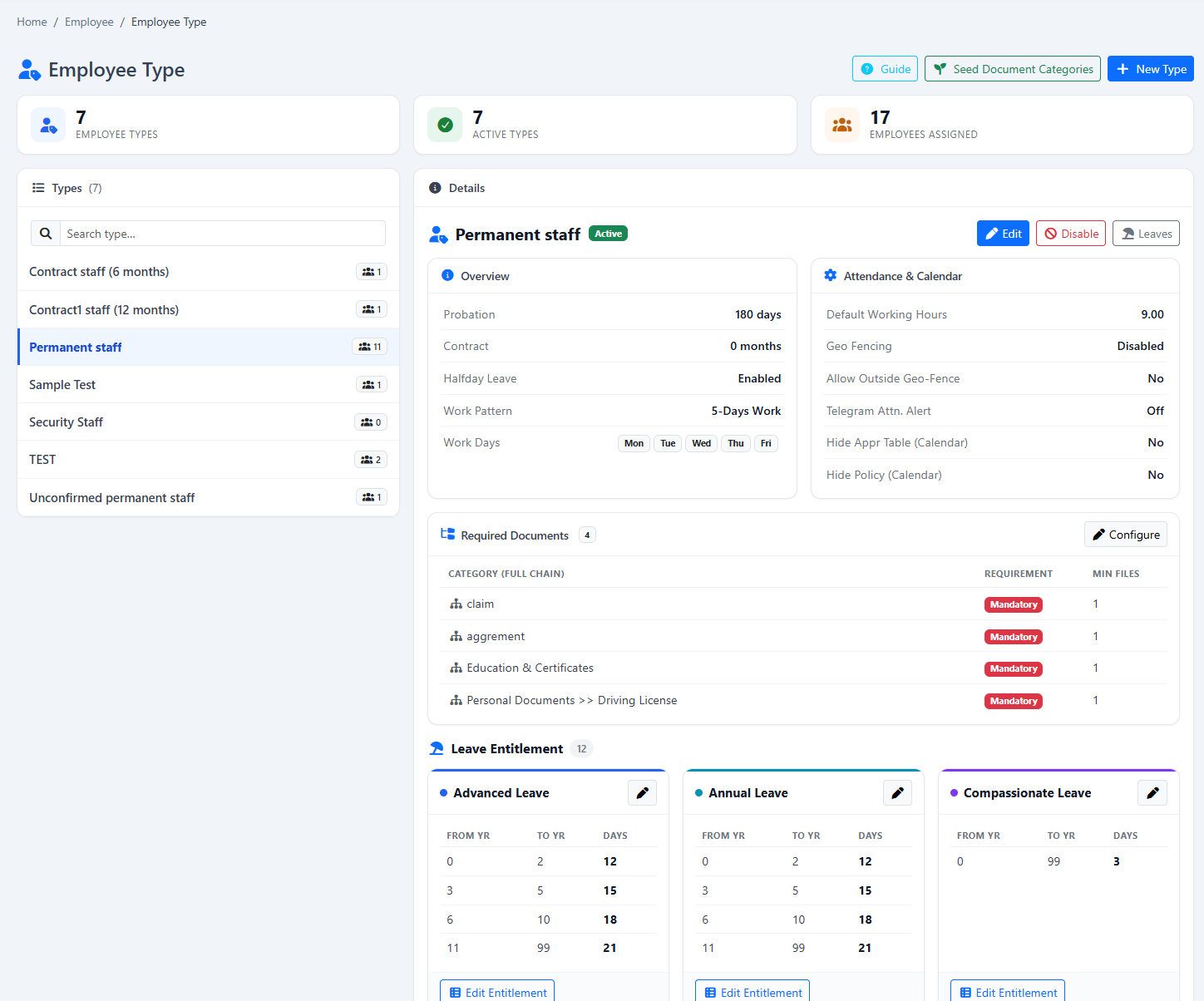
Define required documents by employee type and see whether certificates or forms are still missing.
Use configured BizCloud rules, records and visibility to make this outcome repeatable across the organisation.
Use configured BizCloud rules, records and visibility to make this outcome repeatable across the organisation.
Use configured BizCloud rules, records and visibility to make this outcome repeatable across the organisation.
These functions come directly from the current BizCloud system and the supplied module information.
Discuss this capabilityCreate document requirements for each employee type.
Mark certificates, forms or other records as mandatory where appropriate.
Upload employee-related files and certificates to the employee record.
Use document fulfilment indicators to identify incomplete records.
Keep document requirements aligned with employee role or type.
Use linked external storage such as Google Drive for company storage needs.
BizCloud combines setup rules, employee or manager actions, automated processing and controlled follow-up.
List the certificates and forms needed for an employee type.
The relevant checklist becomes part of the employee’s HR context.
Attach certificates and supporting employee files.
Use fulfilment status to see which mandatory records are incomplete.
Each screenshot corresponds directly to this workflow and can be enlarged for a closer look.