Faster approval response
Use configured BizCloud rules, records and visibility to make this outcome repeatable across the organisation.
BizCloud app notifications and approval access help managers act on leave and claim requests according to the same approval rules used on the website.
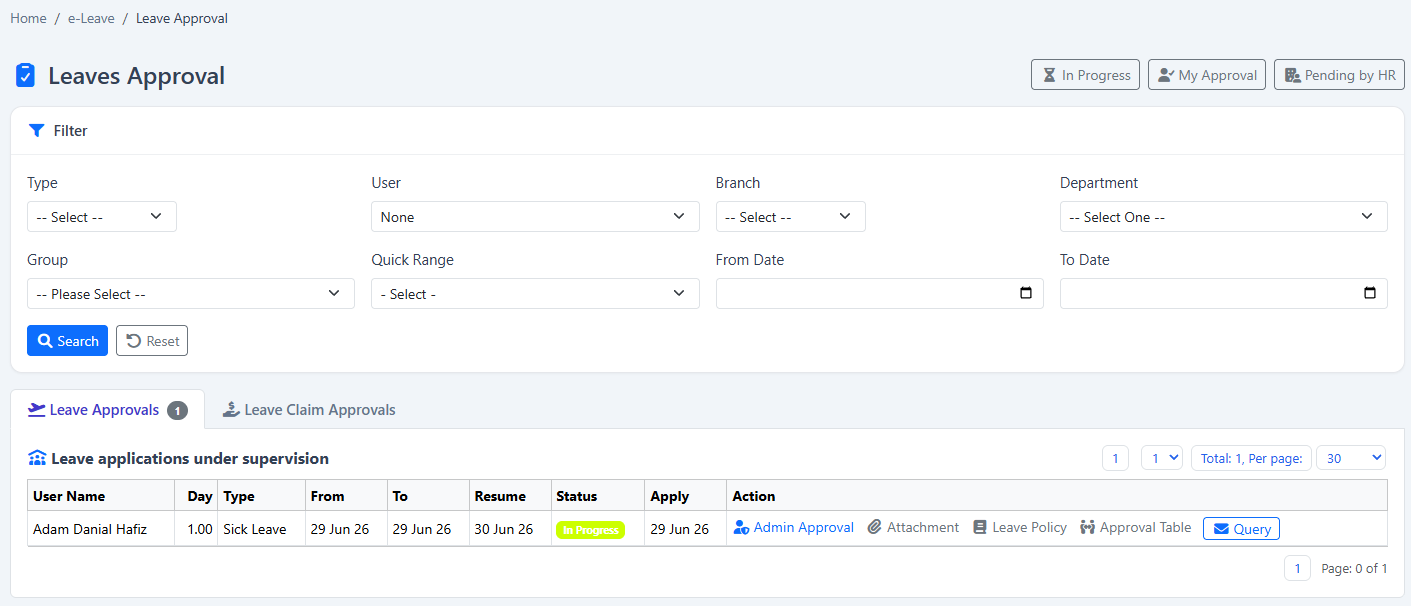
Keep managers informed and allow authorised leave or claim decisions away from the desk.
Use configured BizCloud rules, records and visibility to make this outcome repeatable across the organisation.
Use configured BizCloud rules, records and visibility to make this outcome repeatable across the organisation.
Use configured BizCloud rules, records and visibility to make this outcome repeatable across the organisation.
These functions come directly from the current BizCloud system and the supplied module information.
Discuss this capabilityReceive BizCloud app notifications for relevant HR activity.
Review leave requests from the mobile app.
Review claim requests from the mobile app.
Apply the configured leave or claim approval set.
Keep leave and claim approval responsibilities visible through dashboard widgets.
Use mobile as another access channel without creating a separate approval process.
BizCloud combines setup rules, employee or manager actions, automated processing and controlled follow-up.
A leave or claim request enters the configured BizCloud workflow.
The relevant pending decision becomes visible on mobile.
The manager acts according to the assigned leave or claim approval set.
The decision remains part of the same web and mobile transaction history.
Each screenshot corresponds directly to this workflow and can be enlarged for a closer look.