One Calendar for Leave, Tasks, Reminders & Business Activities
Manage e-leave, service follow-ups, appointments, tasks, reminders, cases, events and asset renewal activities in one clear monthly calendar view for better team visibility.


Monthly Overview
Plan leave, meetings, tasks and reminders in one calendar.
Team Visibility
Help HR, admin, service and sales teams stay aligned.
Fewer Missed Items
Track important follow-ups before deadlines are missed.
One Calendar to See What Your Team Needs to Do
When leave records, customer service tasks, appointments, renewal reminders and internal follow-ups are scattered across different places, important work can be missed. eLeave.my Activity Calendar gives your team a central view of daily activities, so everyone can plan, follow up and act faster.
- View leave, service tasks, appointments and reminders in a monthly calendar.
- Filter activities by category to focus on what matters.
- Track pending follow-ups, approved leave, renewal reminders and customer cases.
- Improve visibility for HR, admin, service team, sales team and management.
Clear Monthly Planning View
See upcoming activities by date, category and priority, helping your team reduce missed follow-ups and plan daily operations more efficiently.
Reduce Forgotten Tasks
Important reminders such as service renewals, appointments, cases and internal tasks can be displayed clearly before deadlines are missed.
What You Can Manage in the Activity Calendar
A practical calendar view for daily business activities, employee leave planning and HR operations.
E-Leave
Show approved leave, pending leave and staff availability directly on the calendar.
Service Follow-Up
Track customer service tasks, support status, quotations and follow-up remarks.
Appointments & Tasks
Display meetings, assigned tasks, reminders and team activity in one calendar view.
Asset Renewal
Monitor renewal dates, subscriptions, document expiry and important business reminders.
Sample Activity Calendar
Below is a dummy preview showing how eLeave.my can present different activities in one monthly calendar.
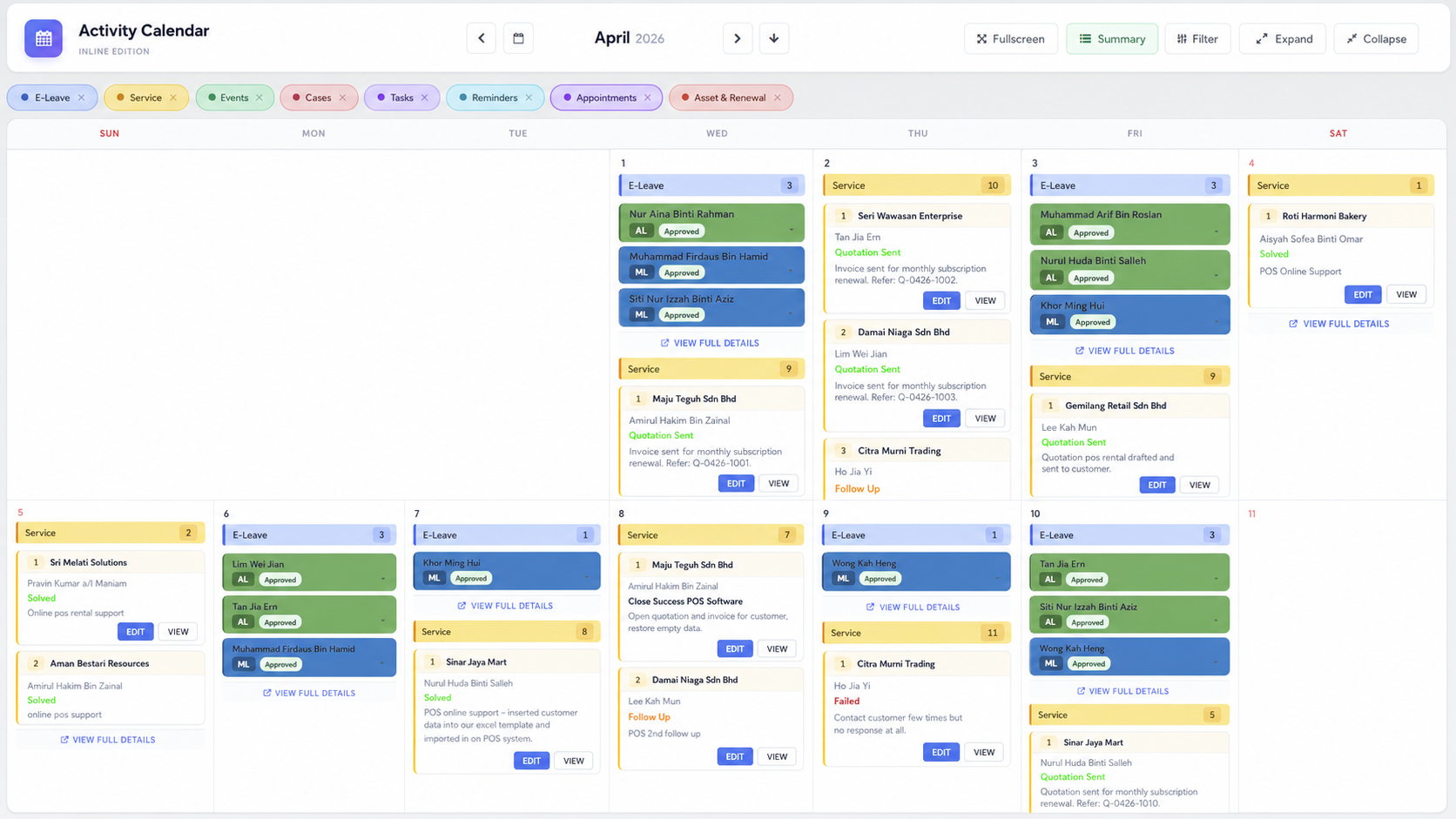
*This is a dummy sample preview. Actual calendar records will depend on your enabled modules, staff activities and company workflow.
Why Your Business Needs an Activity Calendar
A business calendar should do more than show dates. It should help your team understand what needs attention, who is responsible and which items are urgent.
- Reduce missed customer follow-ups and delayed internal tasks.
- Improve team planning when employees are on leave.
- Make service, appointments, cases and reminders easier to track.
- Give management a clear summary of monthly business activities.
Before
- Leave records are checked separately from appointments.
- Service follow-ups depend on manual reminders.
- Managers do not know which tasks are due soon.
- Renewal dates and cases are stored in different places.
After
- Leave, tasks, reminders and follow-ups are visible together.
- Teams can plan based on dates, category and priority.
- HR and managers get clearer monthly visibility.
- Important renewals and deadlines are easier to monitor.
Suitable for Multiple Departments
The Activity Calendar can support different teams by centralising important dates and activities into one shared view.
HR Teams
View leave, staff availability and employee activities in one monthly calendar.
Admin Teams
Monitor reminders, renewals, document expiry dates and office follow-ups.
Service Teams
Follow up support cases, customer tasks, quotations and service activity dates.
Sales Teams
Track appointments, quotations, customer follow-ups and team activity schedules.
How Activity Calendar Supports Daily Planning
A simple workflow to help your team see important work, respond faster and avoid forgotten activities.
Records Are Created
Leave, reminders, appointments, service tasks or renewal items are recorded in the system.
Calendar Displays Dates
Activities are shown by date so teams can quickly understand what is happening each day.
Teams Filter & Review
Users can review activities by category, department, person or priority depending on workflow.
Action Is Followed Up
HR, admin, service and sales teams can follow up earlier before deadlines are missed.
Works Together with Other eLeave.my Modules
Activity Calendar becomes more useful when it connects your leave, attendance, reminders and renewal records into one business overview.
e-Leave
Approved leave and staff availability can be viewed together with daily activity planning.
Attendance
Support planning by understanding workdays, leave days and employee attendance patterns.
Asset Renewal
Show document expiry, subscription renewal and important business dates in the calendar.
Reports
Give management a cleaner view of activities, reminders, leave and follow-up items.
Activity Calendar FAQ
Common questions about using Activity Calendar for HR, leave, tasks and reminders.
What is eLeave.my Activity Calendar?
It is a monthly calendar view that helps your company see leave, appointments, reminders, tasks, service follow-ups, cases, events and renewals in one place.
Can it show employee leave records?
Yes. Your team can use the calendar to view employee leave and staff availability together with other operational activities.
Who should use this calendar?
It is useful for HR, admin, service, sales and management teams that need better visibility over important activities and follow-ups.
Can it support reminders and renewals?
Yes. Activity Calendar can help display important reminder dates, document expiry dates, subscription renewals and service follow-ups.


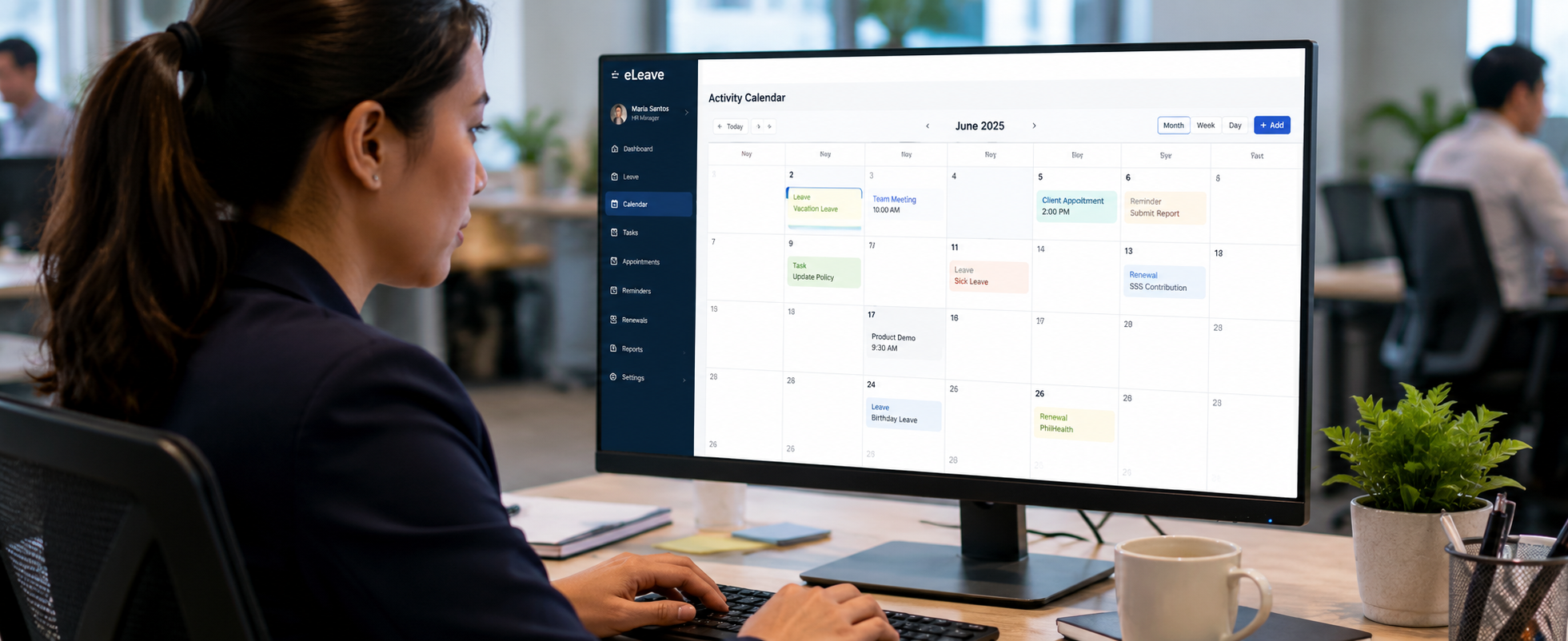
Plan Leave, Tasks and Reminders in One Clear Calendar
eLeave.my helps your business centralise staff leave, appointments, service follow-ups, reminders and renewal activities so teams can plan better and reduce missed work.